
The RallyOrder hardware kit: what's in the box
The register, customer-facing display, card reader, cash drawer, and optional receipt printer, plus the school decisions that make the kit ready for the counter.
 The RallyOrder Team · Jul 16, 2026 · 4 min read
 The RallyOrder kit brings the main checkout components together: a dedicated register, customer-facing display, card reader, cash drawer, and an optional receipt printer.
The hardware arrives as one operating system, but the school still owns the counter setup, network access, user permissions, cash procedures, and exception response.
The register
The counter-mounted touchscreen runs the RallyOrder point of sale. Students use it to select products, build a cart, and accept cash, card, or split payments.
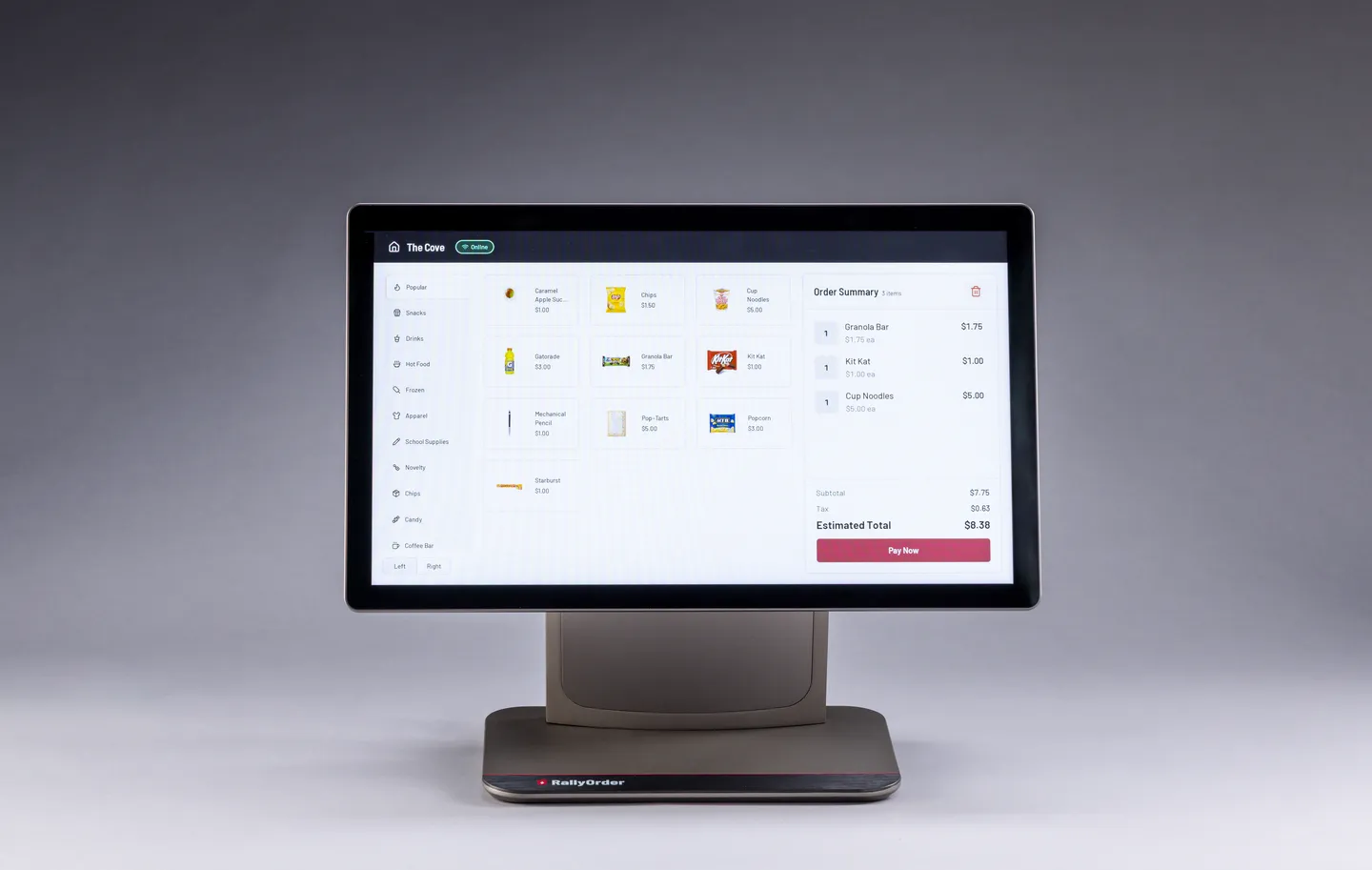
The device pairs to an approved store with a six-digit code. It then syncs the store’s catalog and settings.
The advisor can see paired devices in HomeRoom and revoke one that should no longer have access.
The customer-facing display
A second screen faces the customer. It shows the items and total as the cashier builds the cart, followed by payment status and confirmation.
The display gives both sides of the counter a shared view of the order. The cashier still confirms corrections and follows the school’s customer-service process.
The card reader
The connected Stripe reader accepts tap and insert payments. Card information passes from the reader into Stripe’s certified payment systems.
RallyOrder’s application servers do not receive the card number. Students and advisors do not see it in the point of sale.
Card acceptance depends on the school’s connected payment account and its current payment status.
The cash drawer
The kit includes a cash drawer connected to the register. It can open for cash sales and cash refunds according to the store configuration.
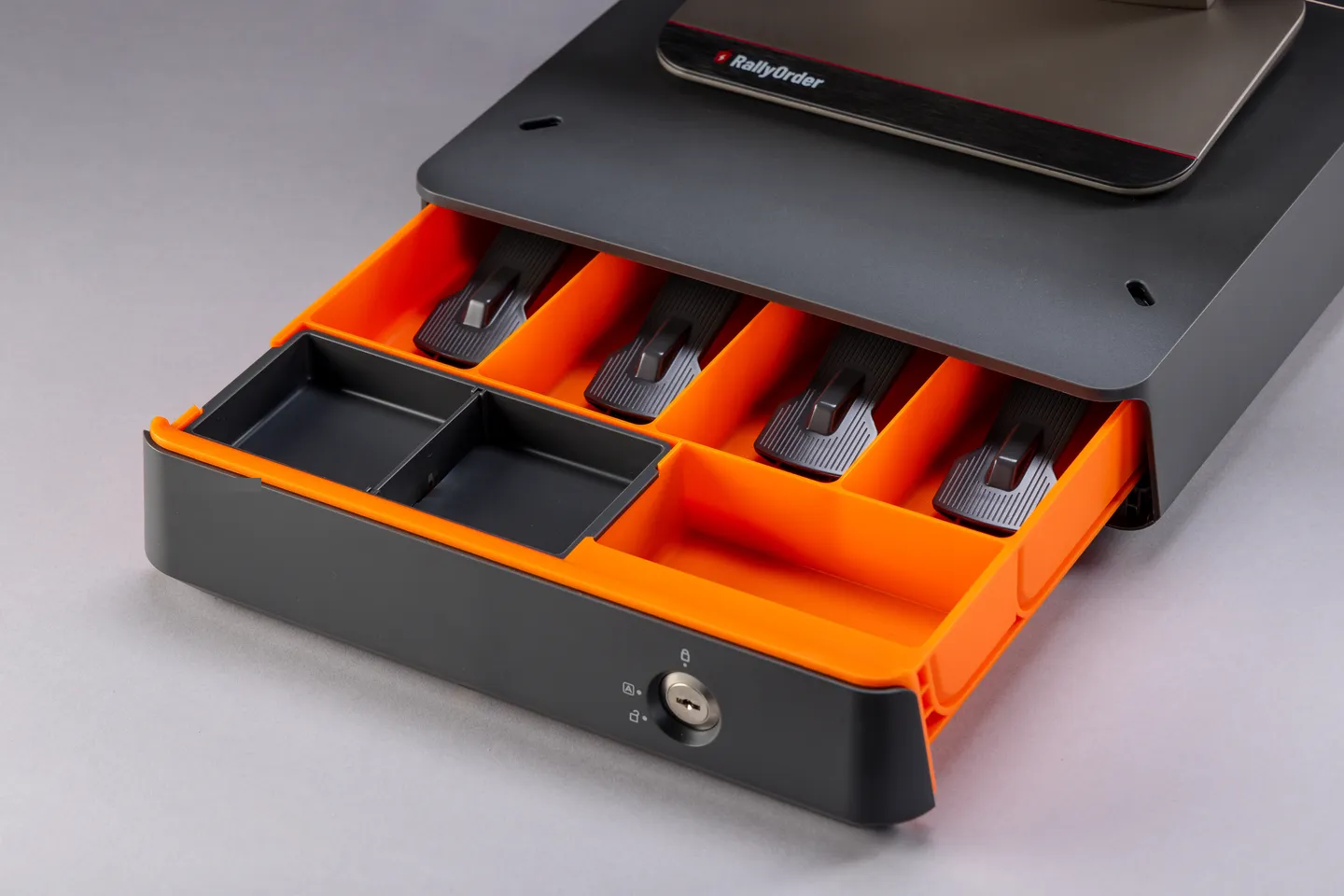
The drawer supports the school’s cash routine. The school sets the float, assigns responsibility, counts the drawer, records the variance, and follows its deposit policy.
The receipt printer
Schools that need printed receipts can add the supported thermal printer. It connects to the point of sale and prints from the checkout flow.
The printer is optional, so the final kit follows the school’s requirements and purchasing path.
What happens when the network drops
Cash sales can continue offline and sync after the connection returns.
Offline card sales are controlled by two store settings: whether offline mode is enabled and the maximum permitted amount for one offline card transaction.
Stripe forwards offline card payments after reconnection. A payment can still fail at that point, so HomeRoom includes a Failed Offline Payments report for follow-up.
Online. Sales flow to the dashboard live.
The register has lost its network connection.
Cash can continue. Offline cards depend on the school setting and per-transaction cap.
Queued activity syncs. Forwarded card payments can fail and need follow-up.
Train the crew on offline settings and recovery. Check Failed Offline Payments in HomeRoom after reconnection.
What the kit still needs from the school
- a counter location with power and the right physical access;
- network approval and any required IT review;
- an active connected payment account for cards;
- named users and appropriate permissions;
- a cash float, count routine, deposit schedule, and exception owner;
- training before students serve customers.
Catalog and price changes sync from HomeRoom. Hardware care, network access, permissions, and operational controls remain assigned school responsibilities.
The Register Spec Sheet
The hardware summary, security posture, and network requirements for IT and procurement review. US Letter.
Configuration and pricing
Hardware and platform configuration depend on the store and purchasing path. A 30-minute demo covers the kit, required setup, and current offer for your school.